Upload. Analyze. Advise.
AccompliceRE Analytics
Upload a proposal. Get a complete financial analysis in under 3 minutes.
How it works
From document to insight in three steps.
01 Upload
Drop any document
PDF, DOCX, or DOC. Lease proposals, LOIs, counter-proposals, amendments, upload and they process instantly.
02 Extract
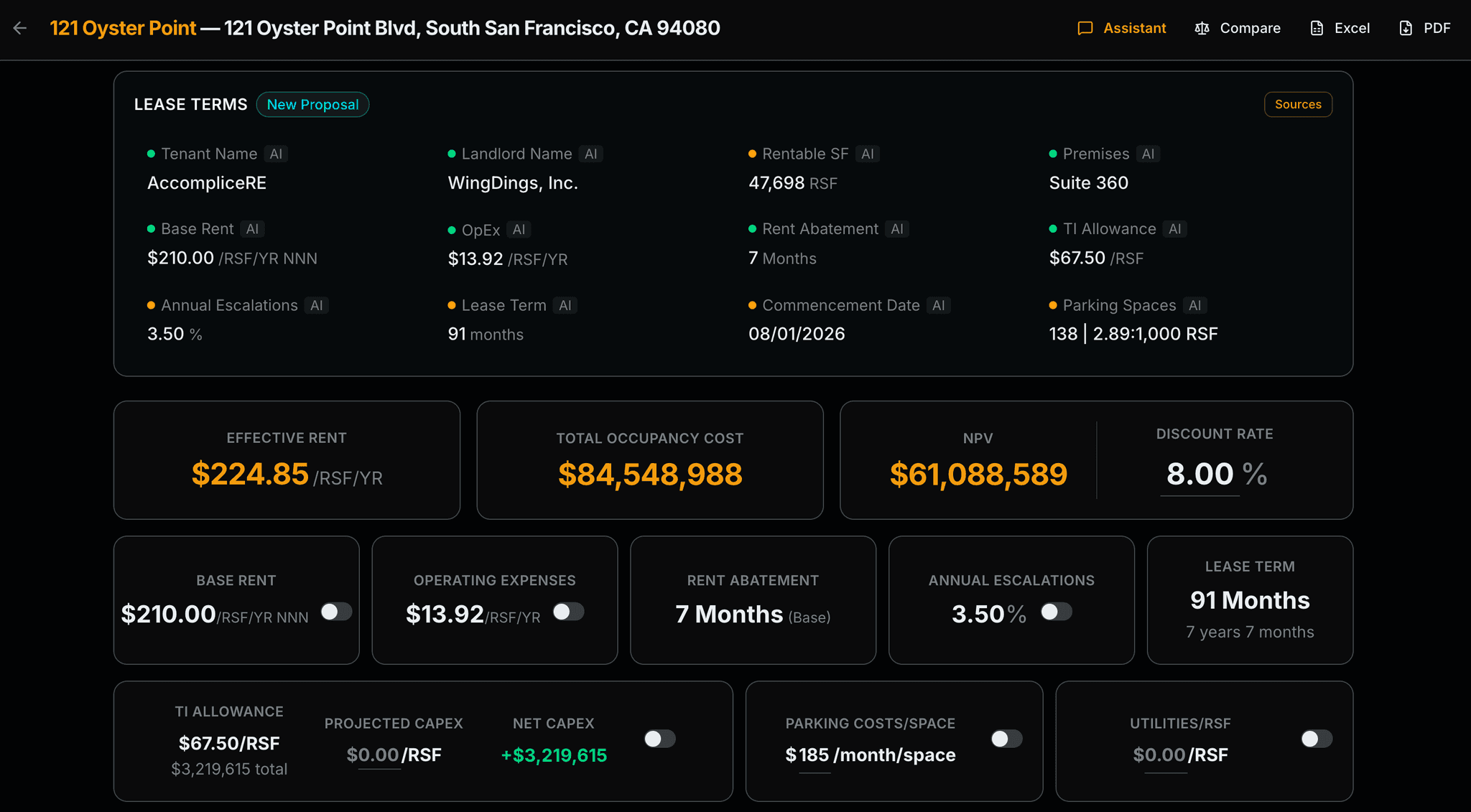
AI reads every term
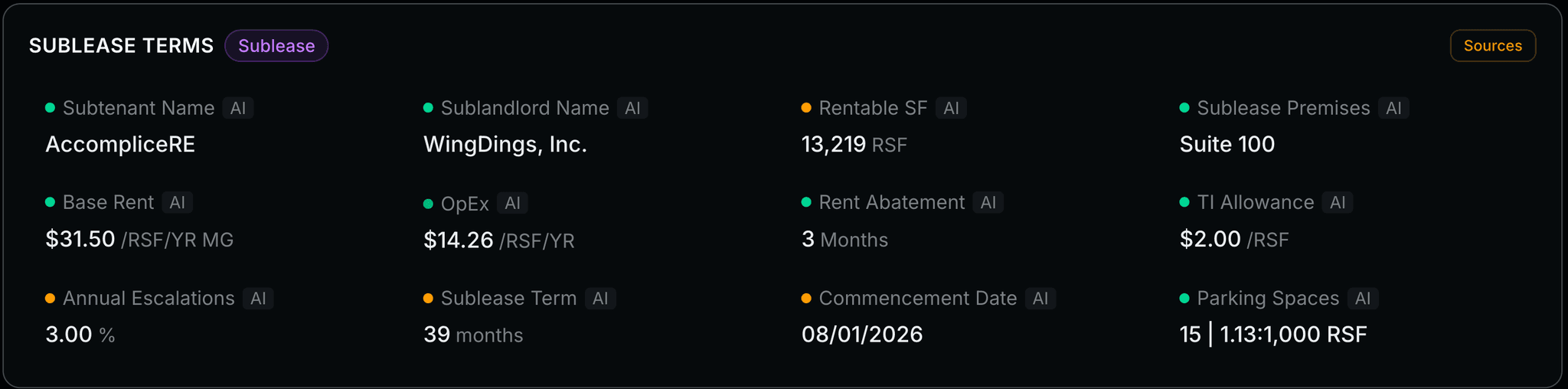
Base rent, TI, free rent, OpEx, escalations, parking, commencement, and 100+ more fields, extracted in seconds with full edibility.
03 Analyze
Every Metric. Client-ready
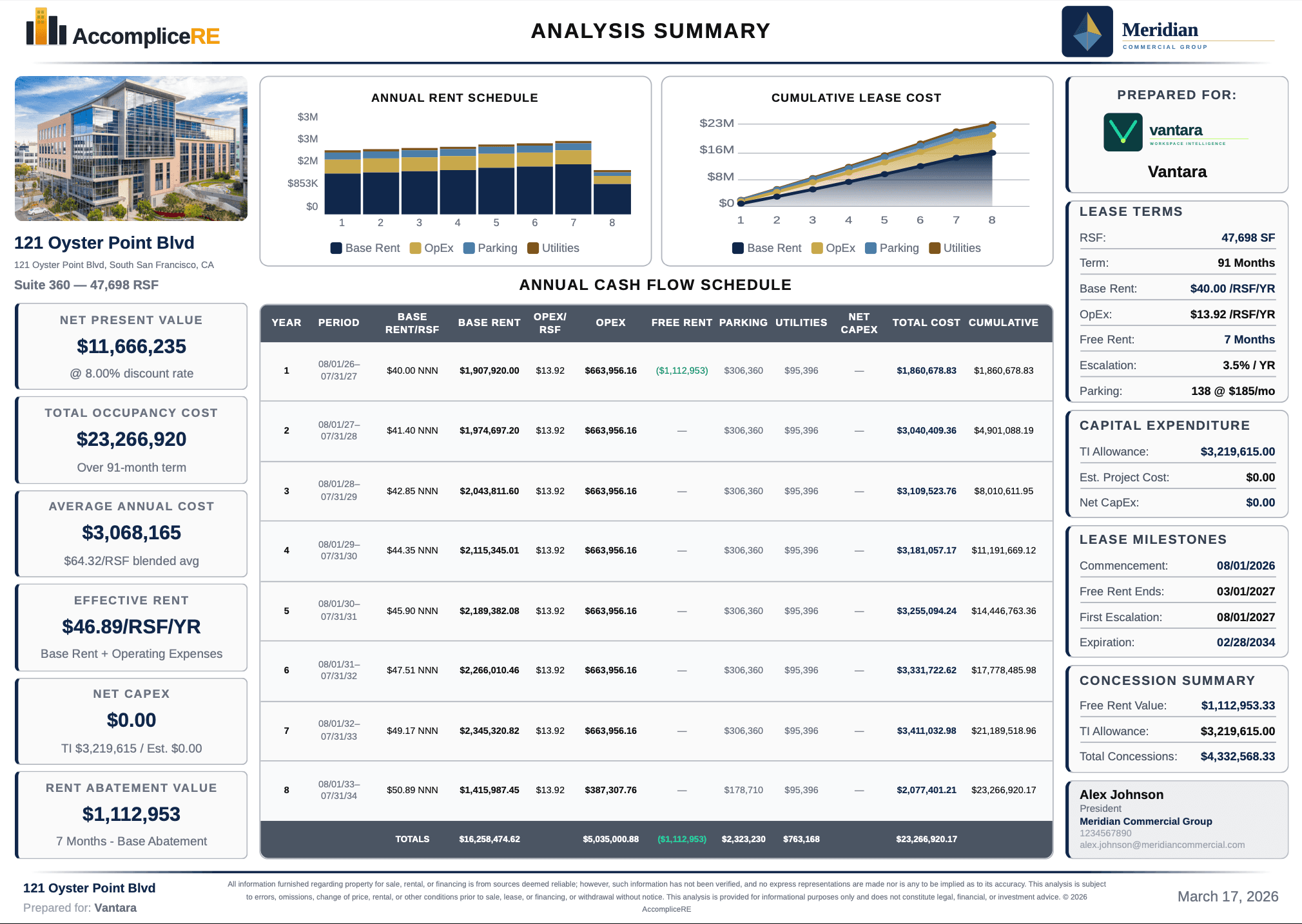
Effective rent, NPV, total occupancy cost, full cash flow, and 8 charts, presentation-ready the moment extraction finishes.
Core features
Included on every plan.
AI extraction, zero manual entry
Every financial term pulled directly from your document. Accuracy flags reveal low-confidence values. Edit any field inline and the full model recalculates instantly.
- 100+ fields extracted: base rent, TI, OpEx, free rent, escalations, parking, lease term, commencement, and more
- Color-coded confidence indicators per field
- Auto-detects document type: new proposal, existing lease, or sublease
- PDF, DOCX, and DOC support

Hero metrics
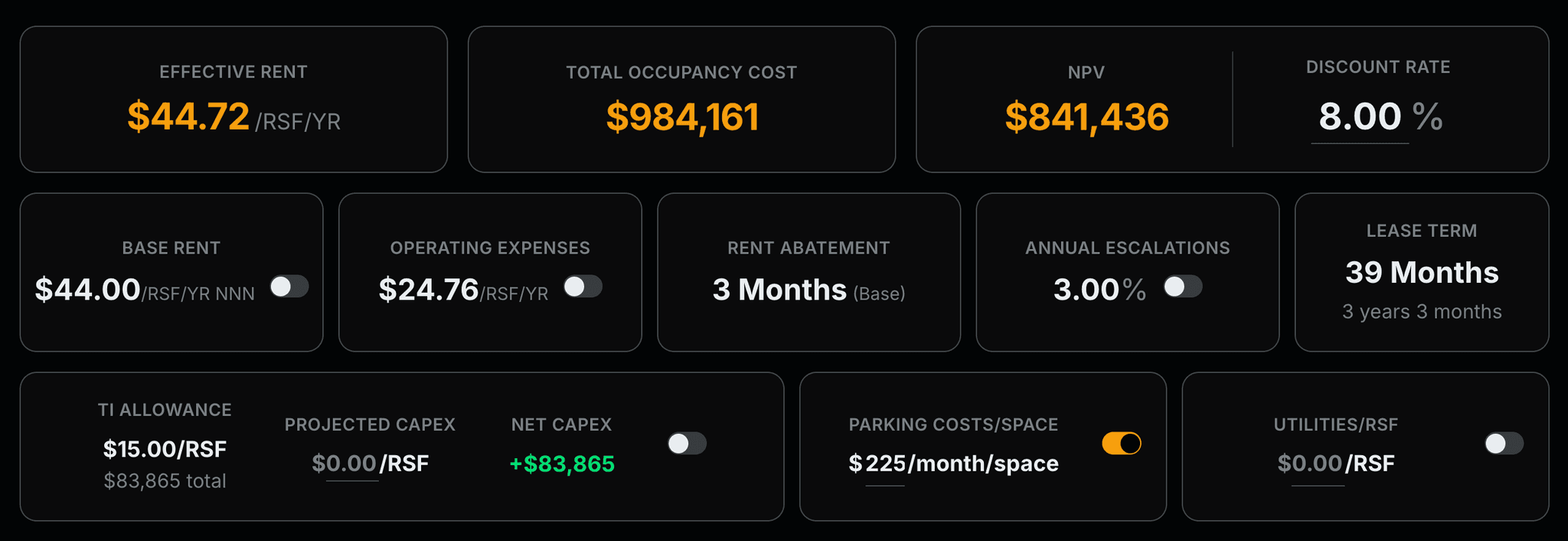
Effective rent, total occupancy cost, NPV, and discount rate, all at a glance. Toggle annual or monthly. Fold TI, parking, and utilities in or out in real time.
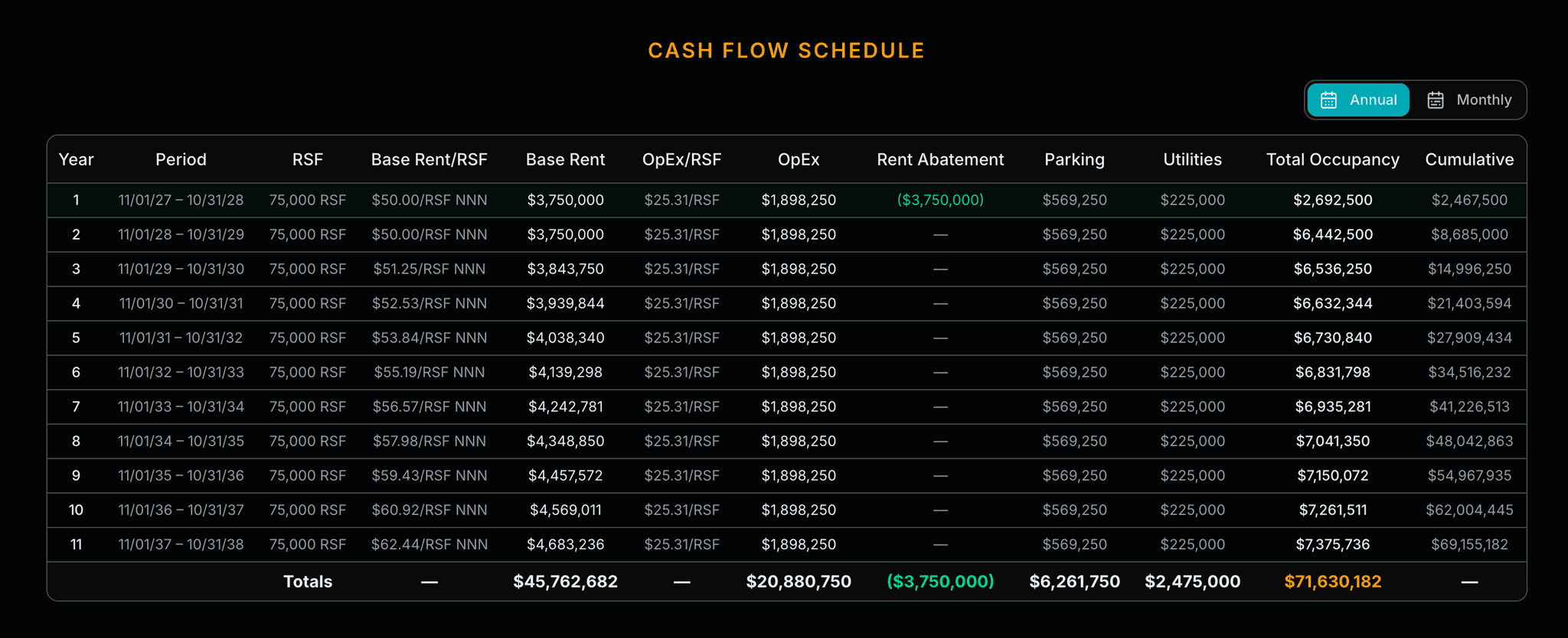
Cash flow schedule
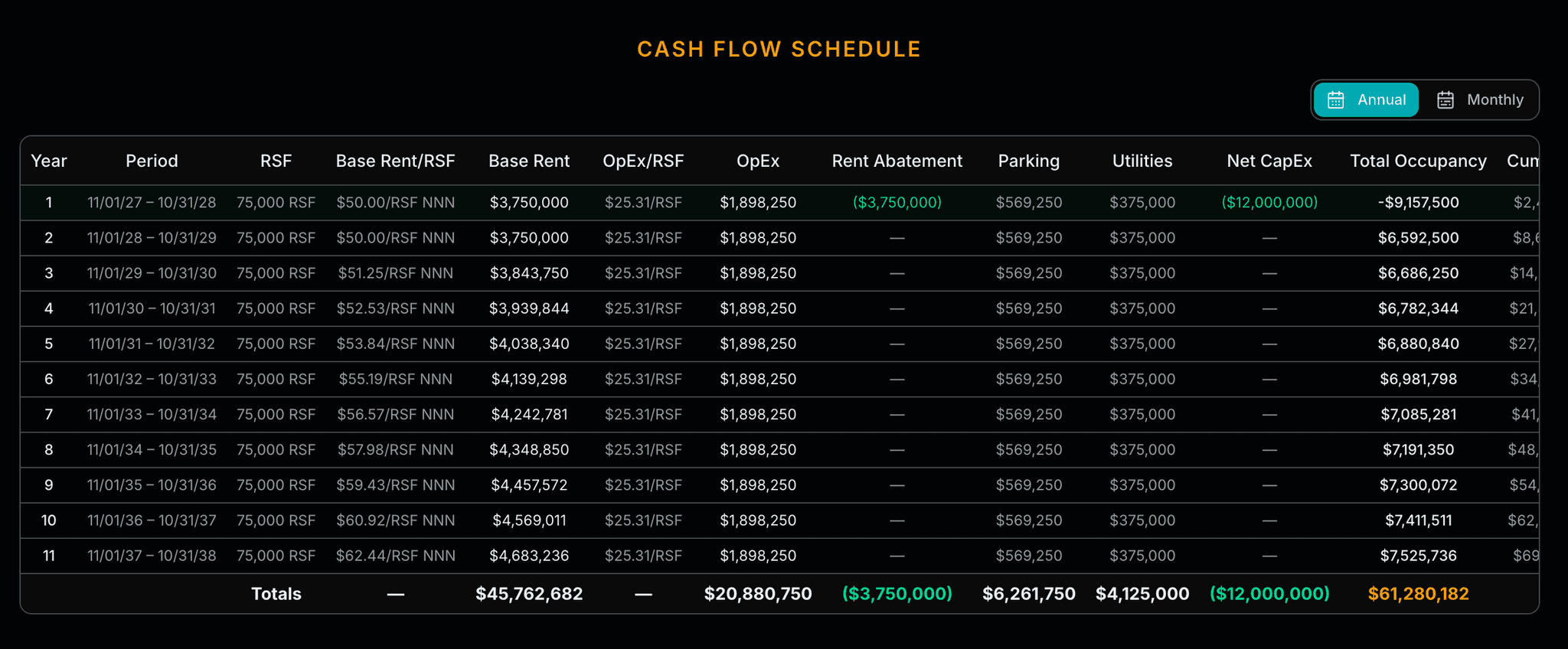
Annual and monthly breakdowns with a single toggle. Base rent, OpEx, parking, utilities, abatement, net capex, total occupancy, and cumulative, all in one table.
Deal analytics, eight charts
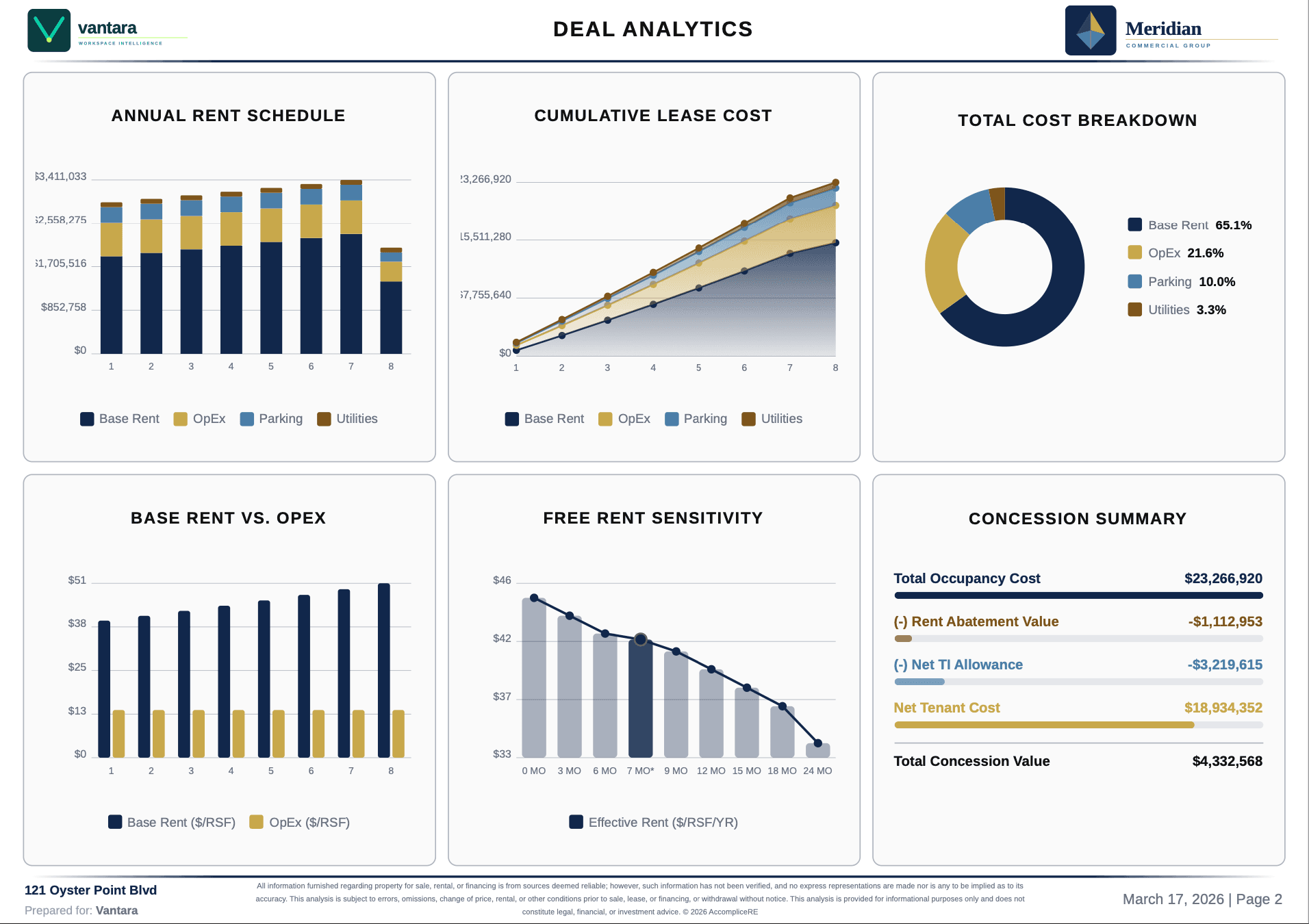
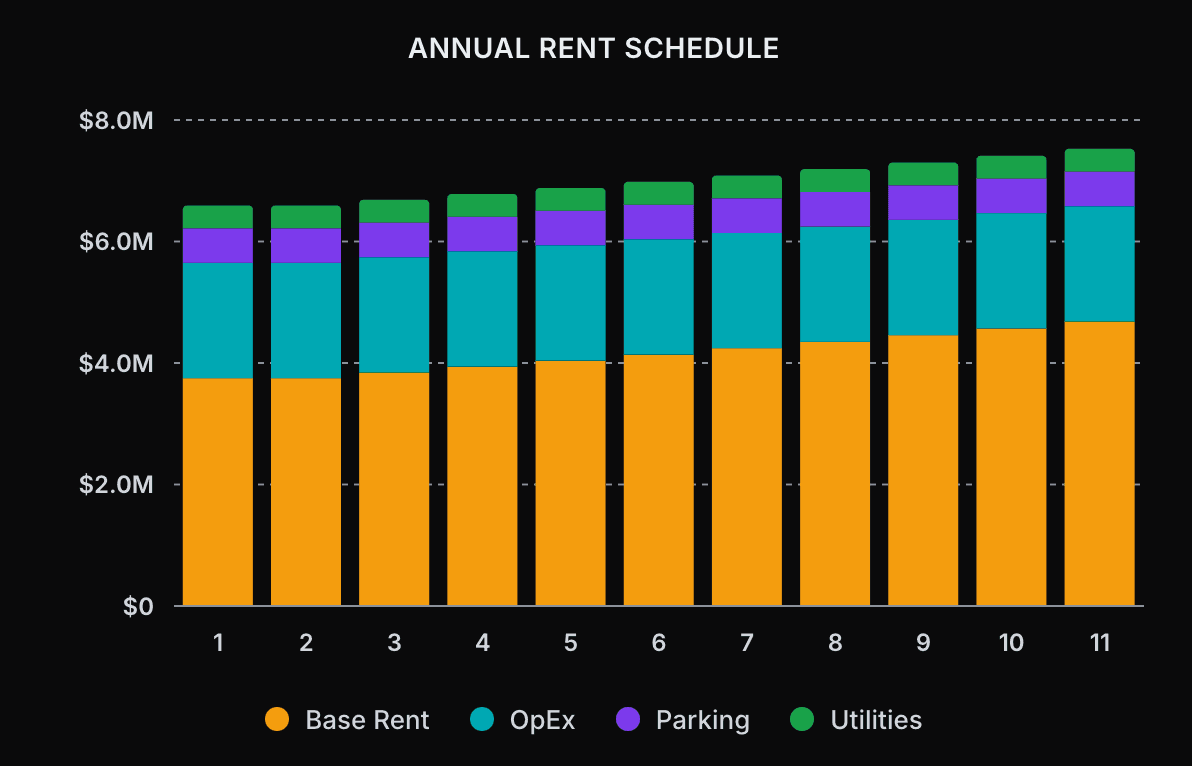
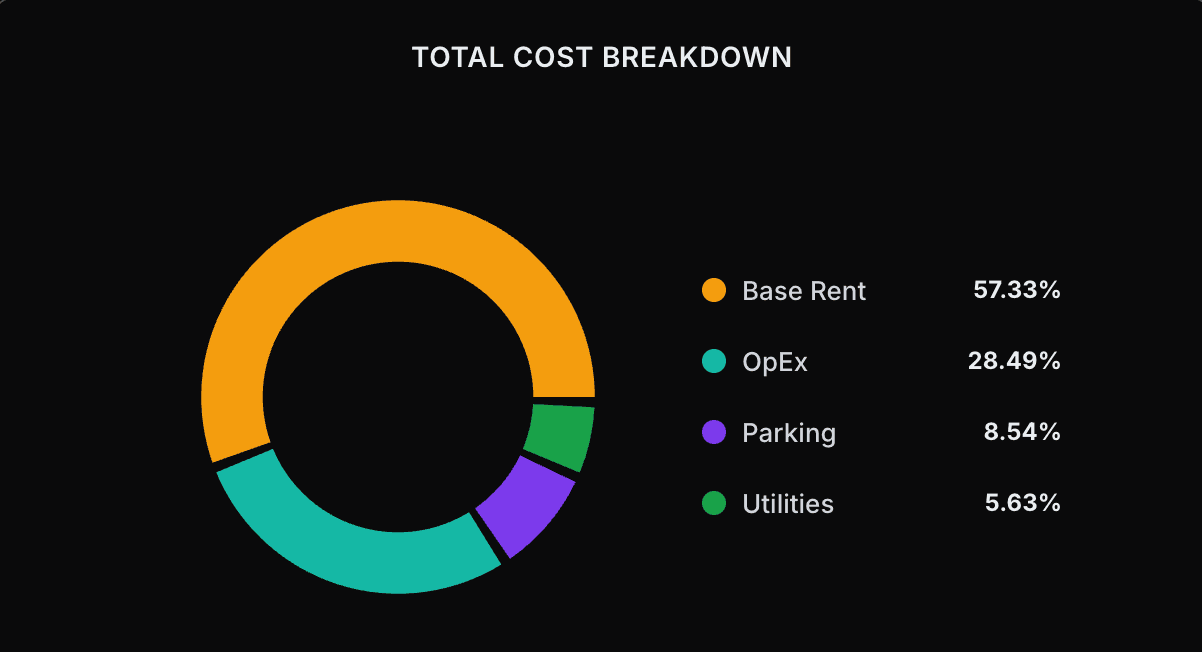
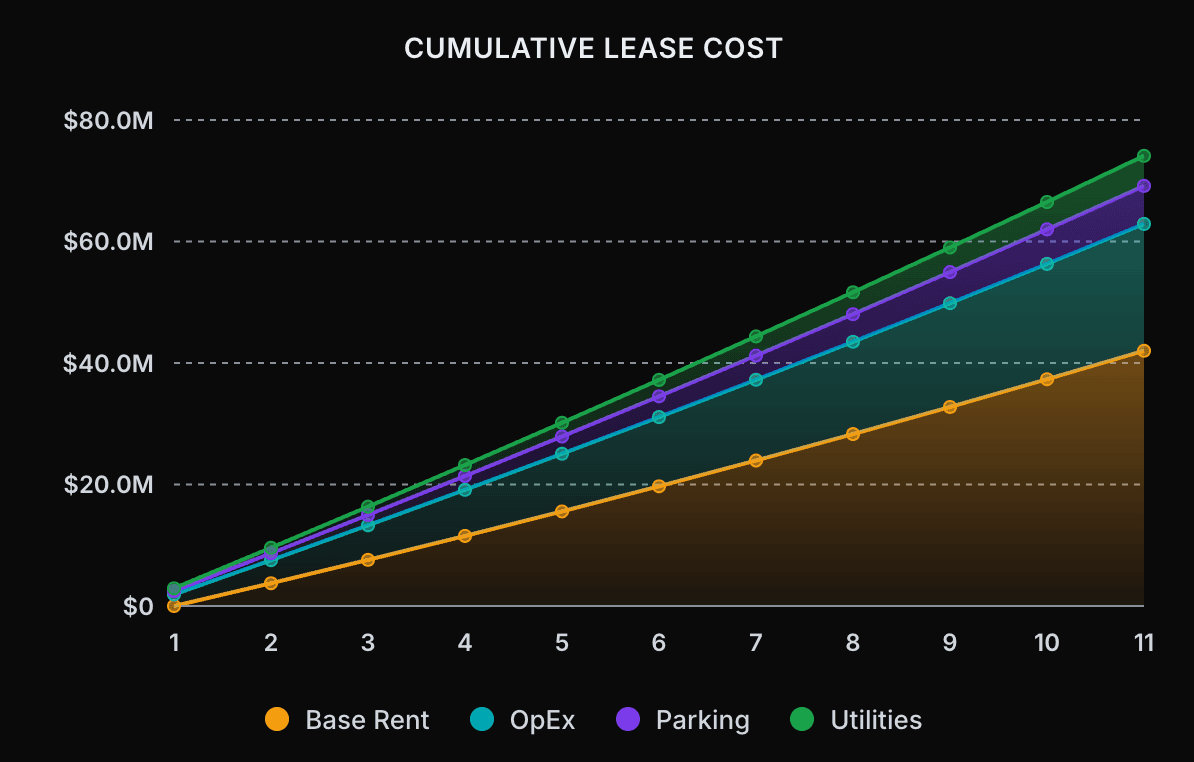
Eight dynamic charts give your client the full financial story, visible directly in the tool, ready to export.
- Annual Rent Schedule: stacked by cost type by year
- Cumulative Lease Cost: total exposure over full term
- Total Cost Breakdown: donut by category
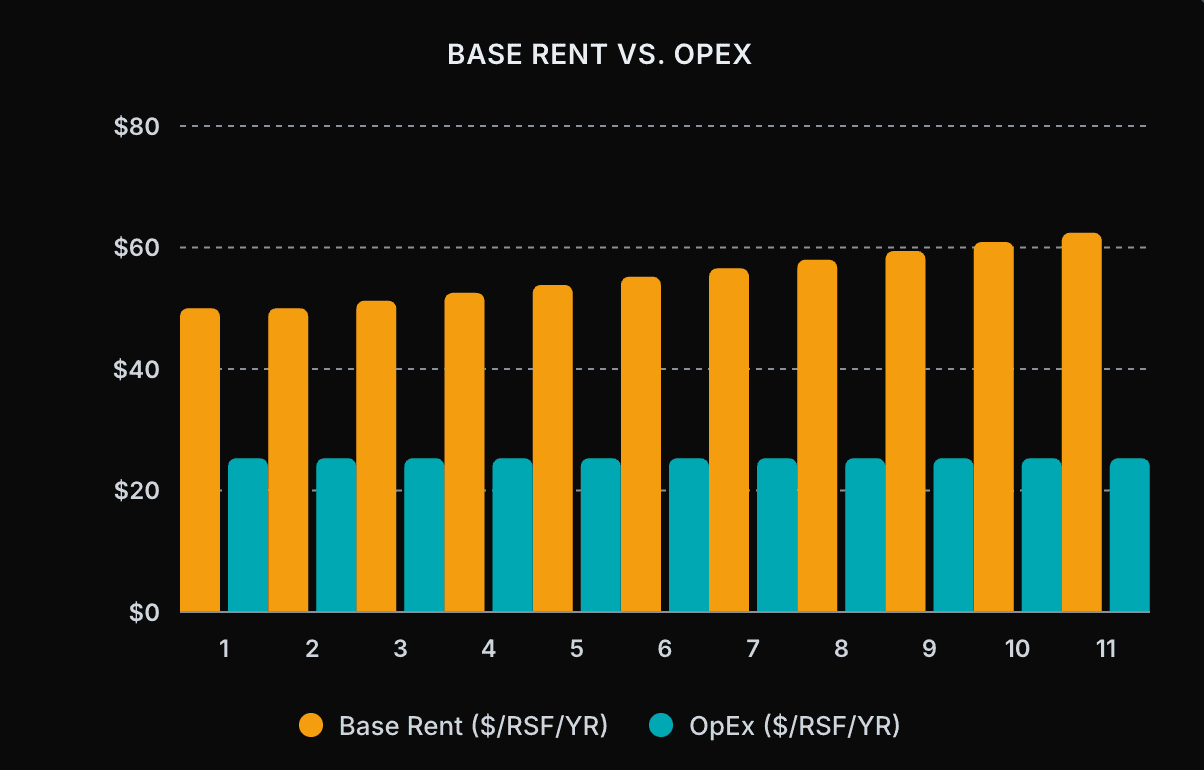
- Base Rent vs. OpEx: rent and operating costs side by side over time
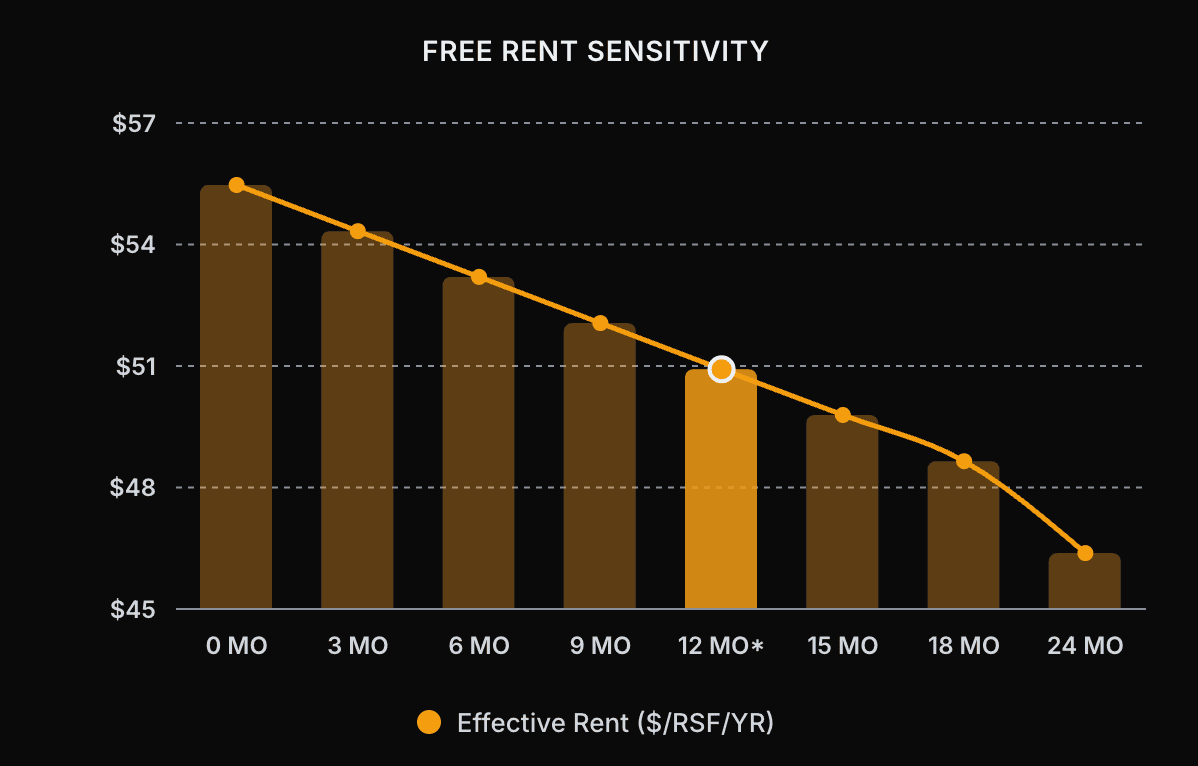
- Free Rent Sensitivity: how effective rent shifts as free rent months increase
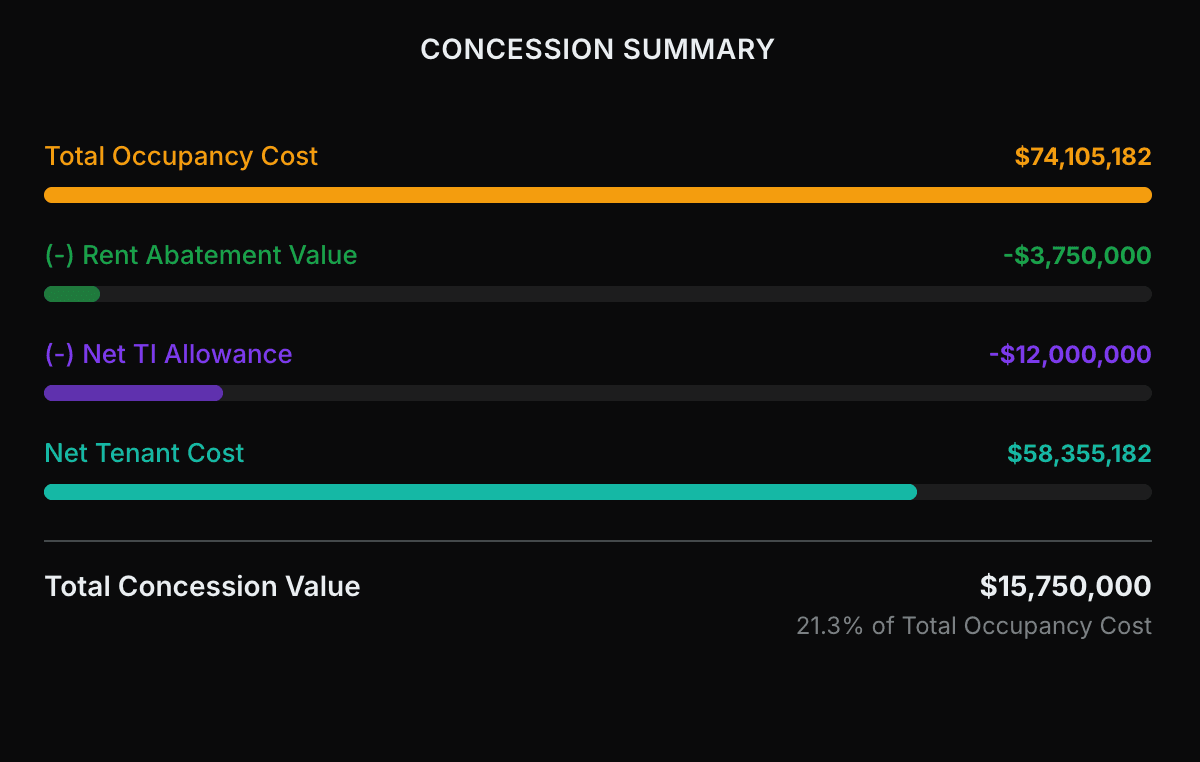
- Concession Summary: waterfall from gross cost to net tenant cost
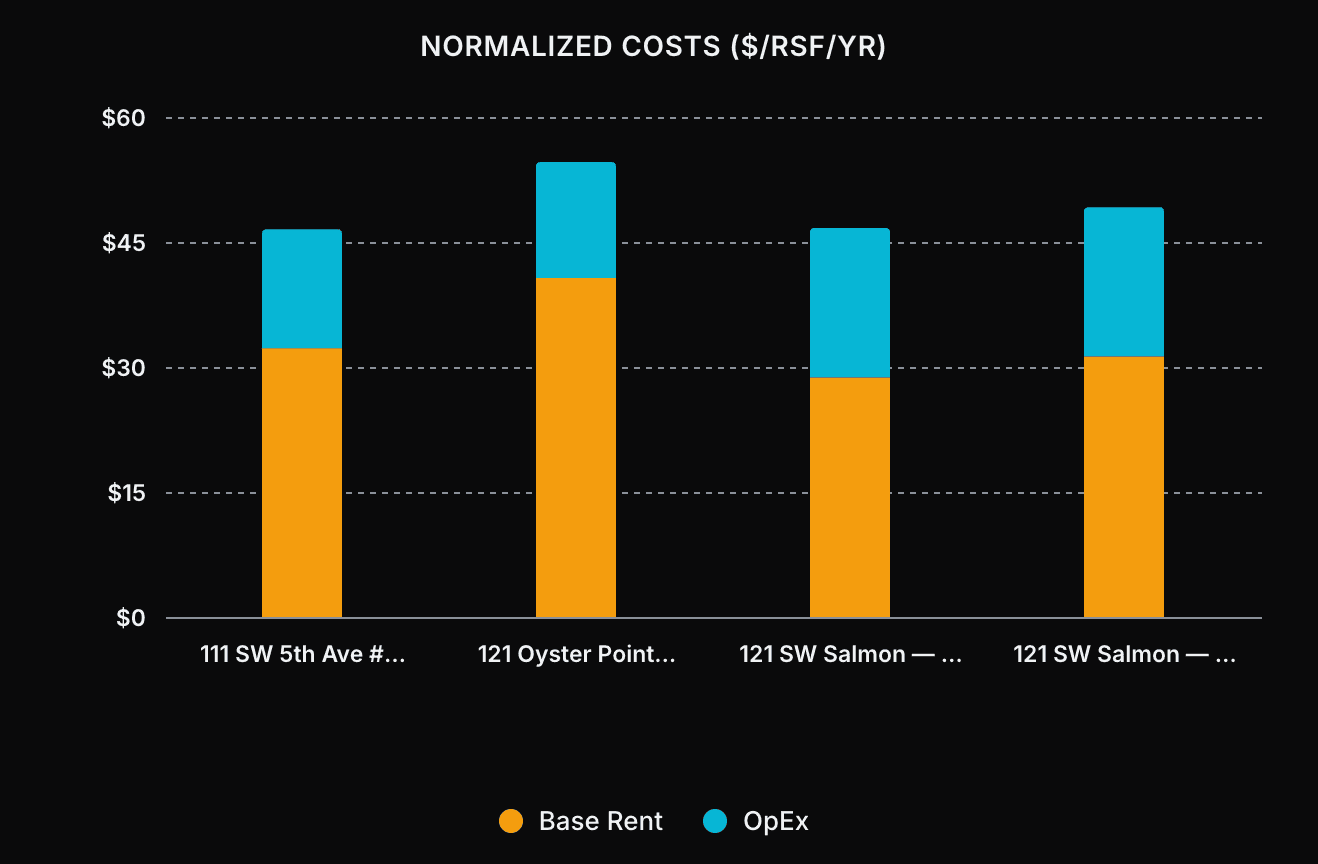
- Normalized Costs ($/RSF/YR): per-square-foot cost compared across documents
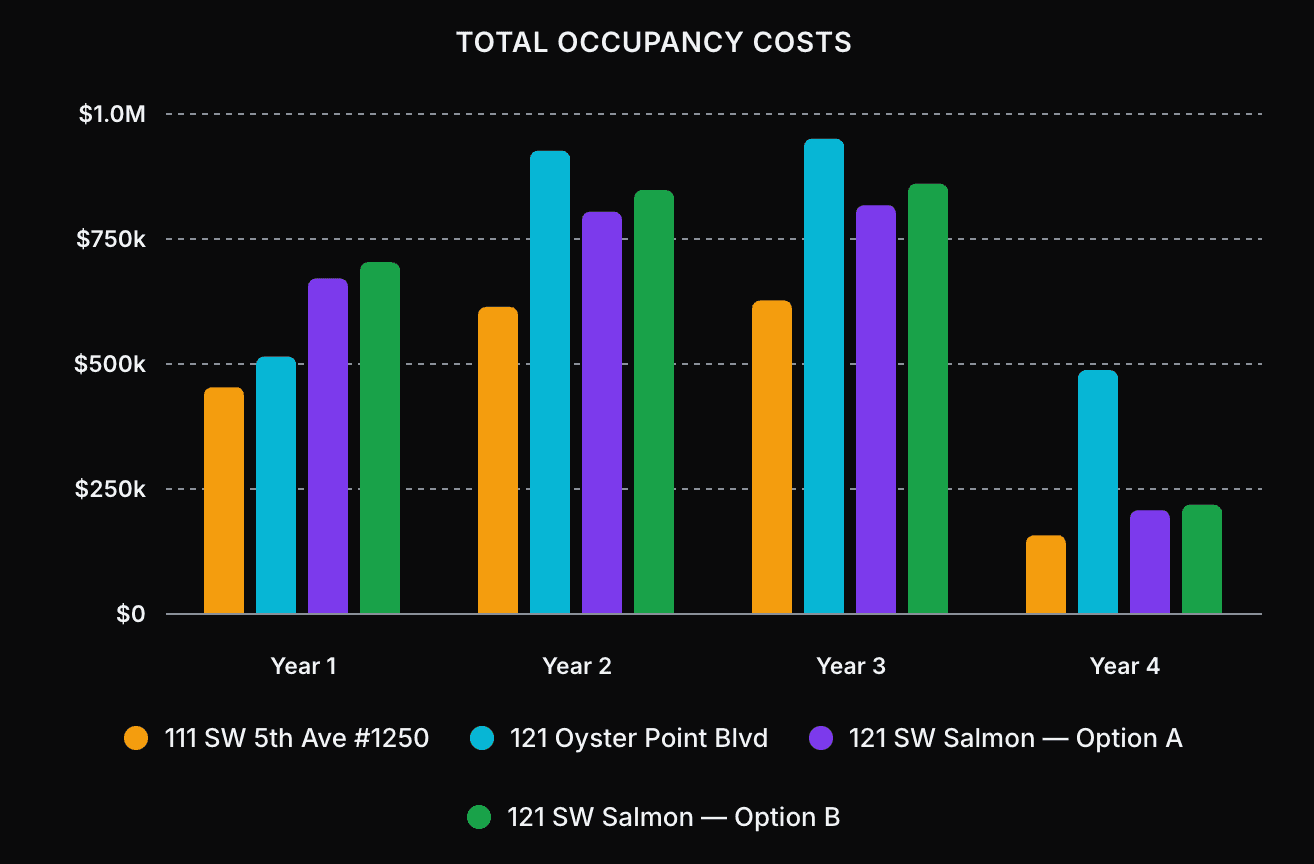
- Total Occupancy Cost: side-by-side total cost across documents
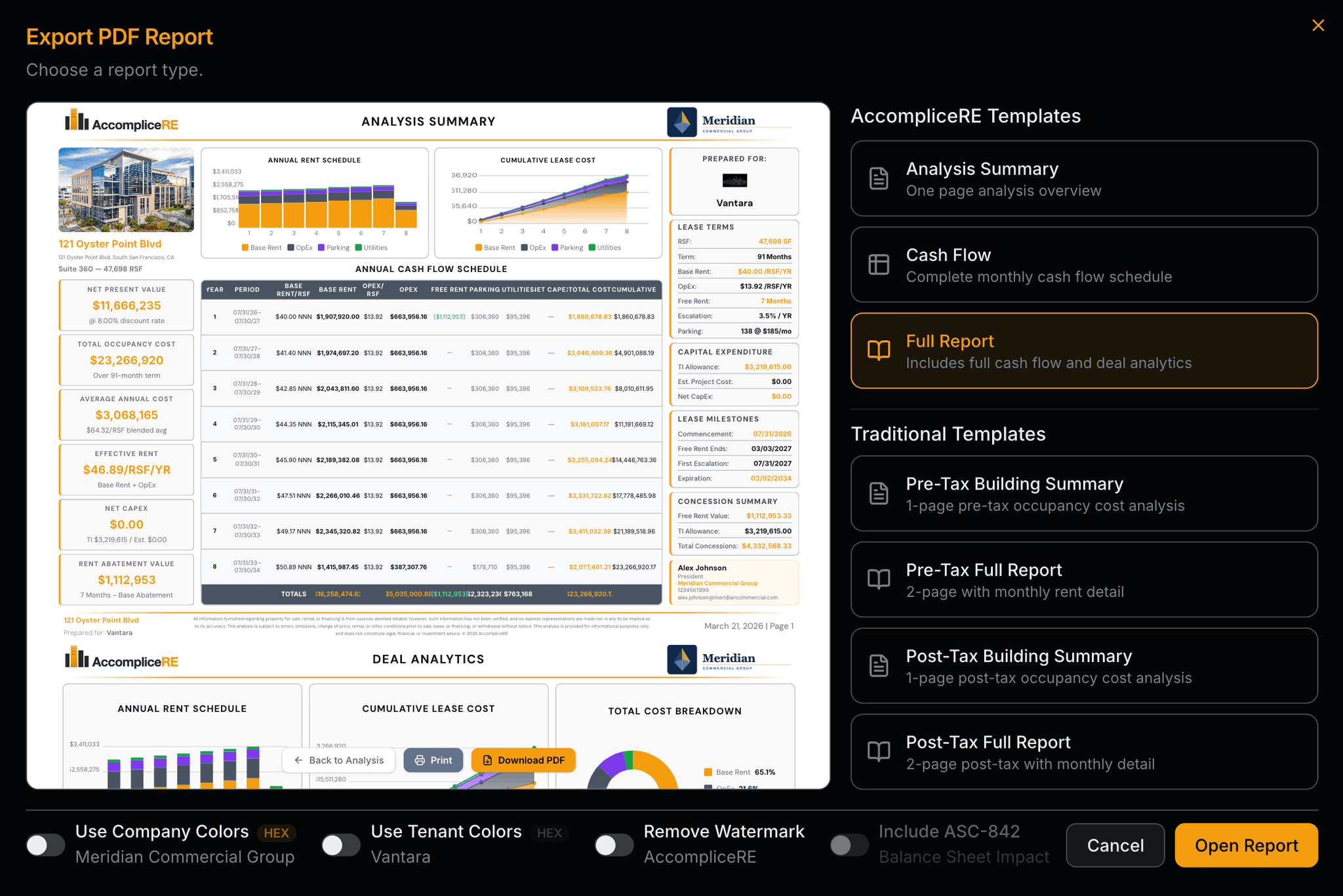
Excel & PDF export
Client-ready or boardroom-ready. AccompliceRE templates for presentations your clients will keep. Traditional formats, pre-tax and post-tax, for the CFOs and attorneys who just want the numbers. Your firm's branding on Pro.
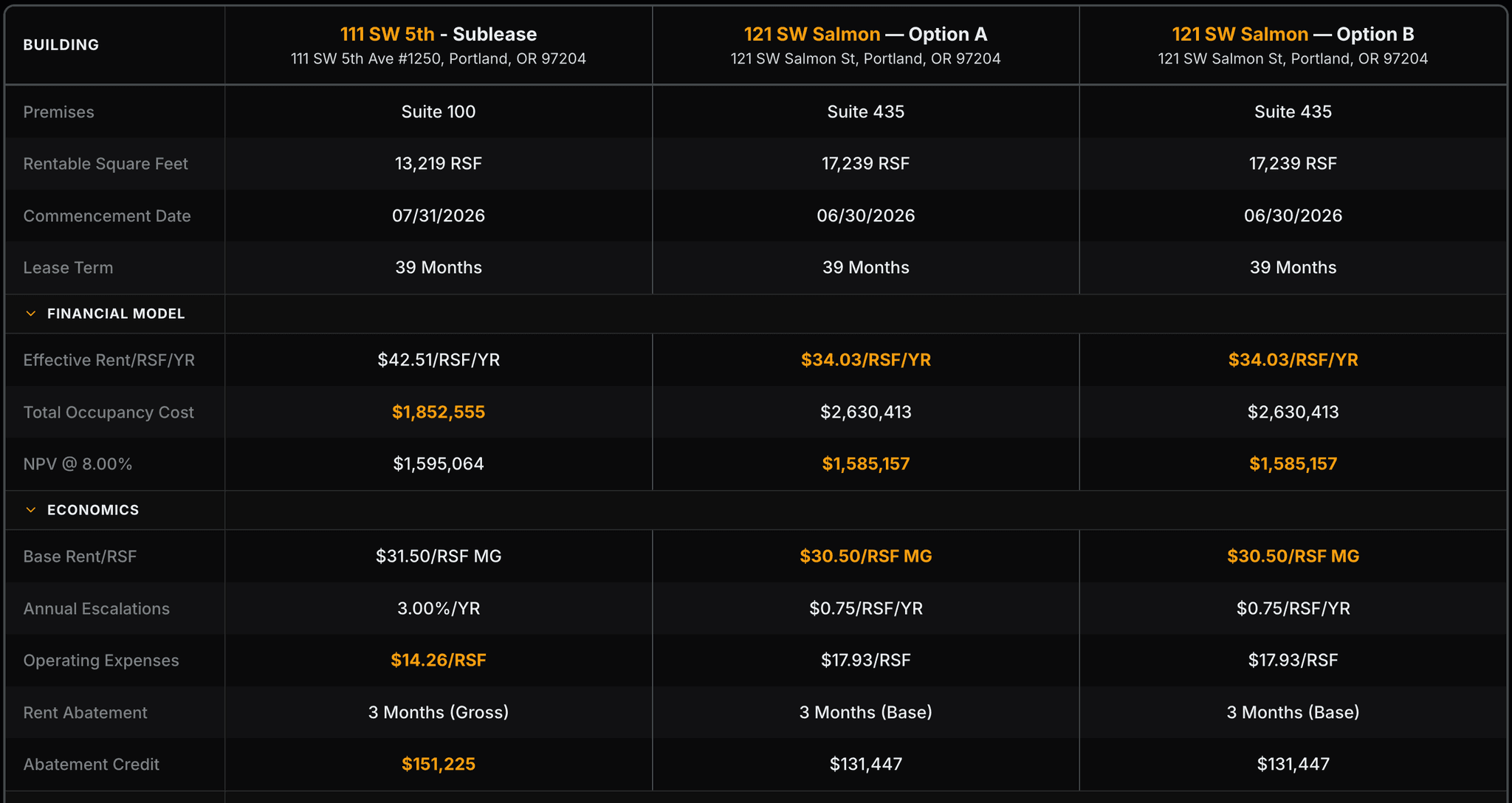
Proposal comparison
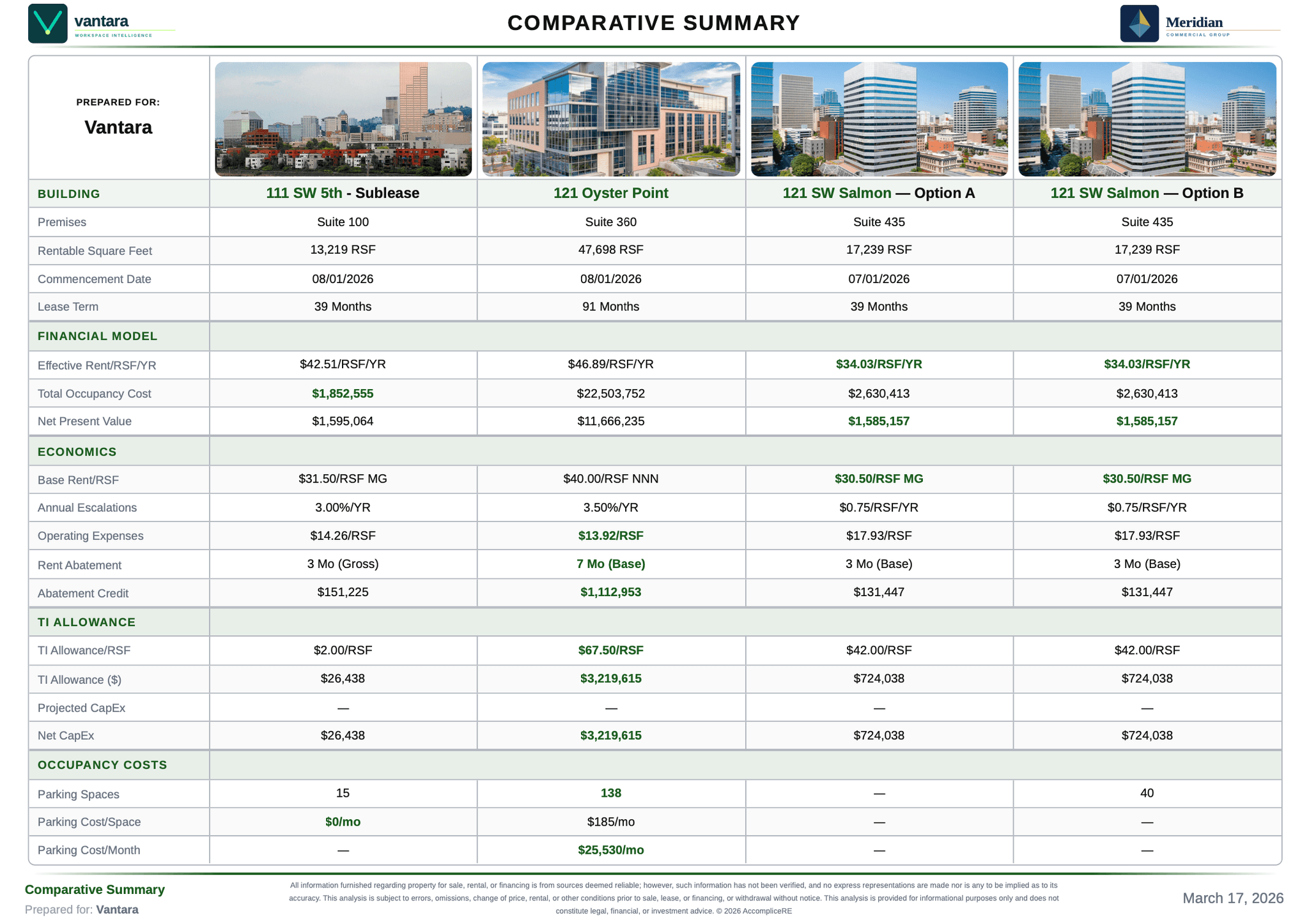
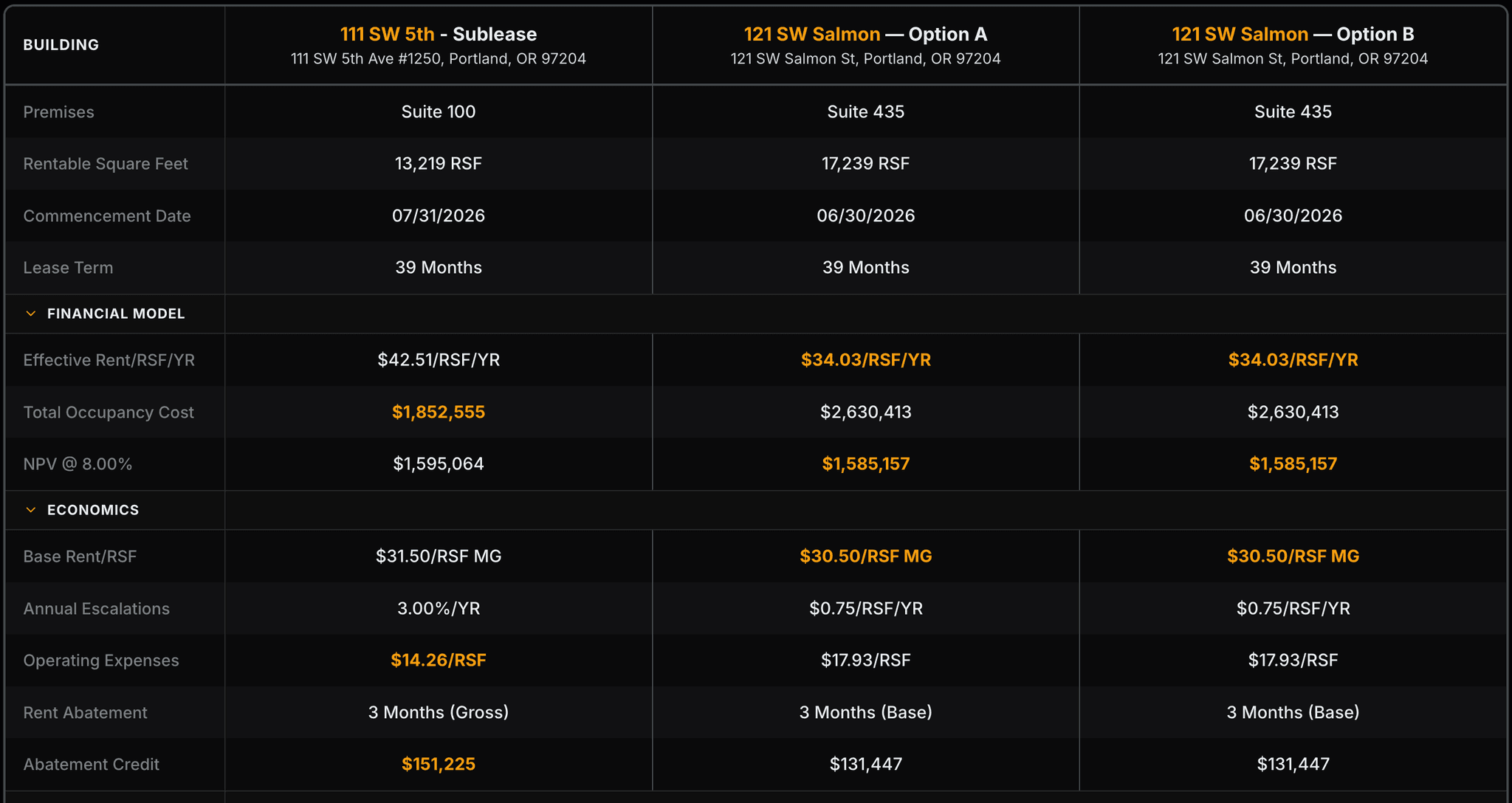
Compare up to 8 proposals side by side: premises, financials, economics, TI, and occupancy costs. Every comparison includes charts, an NPV summary, and Excel/PDF exports ready to share with your client.
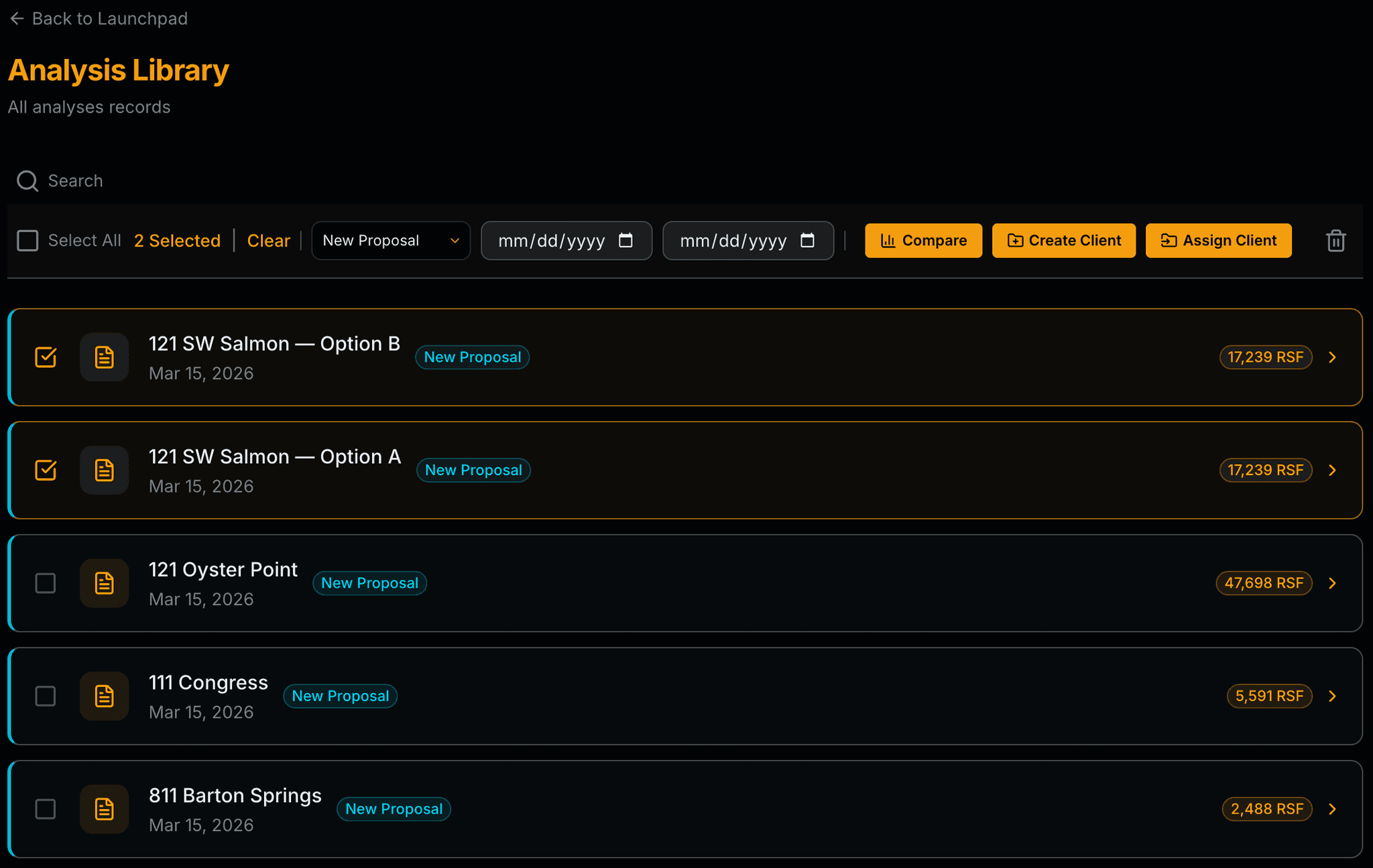
Analysis Library
Every analysis in one searchable library. Filter by type, date range, or RSF. Bulk select to compare, assign to a client, or build a client record.
- Bulk select for comparison or client assignment
- RSF, lease type, and status surfaced on every card
- Sort and filter by document type, date range, size, and status
- Search by building name, address, or client
AI Assistant
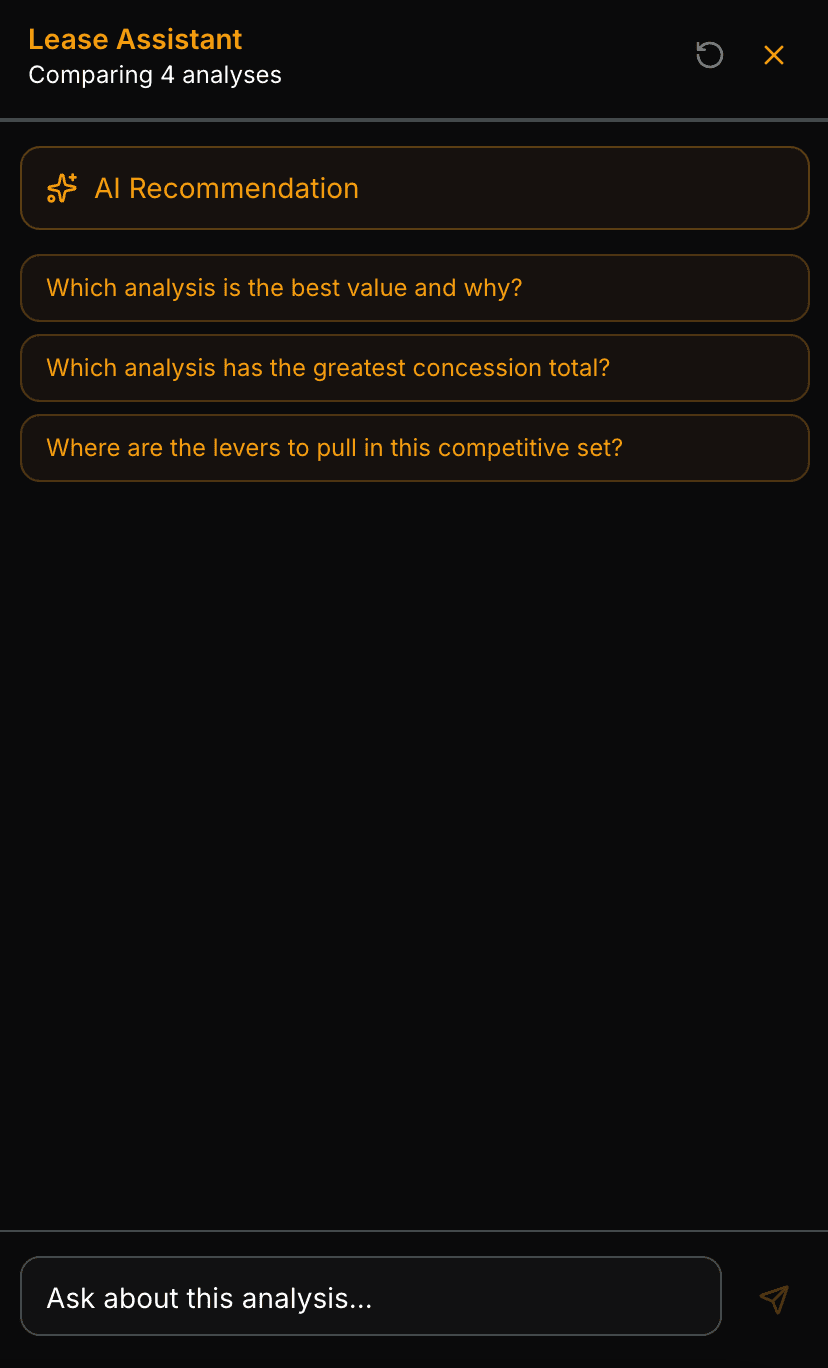
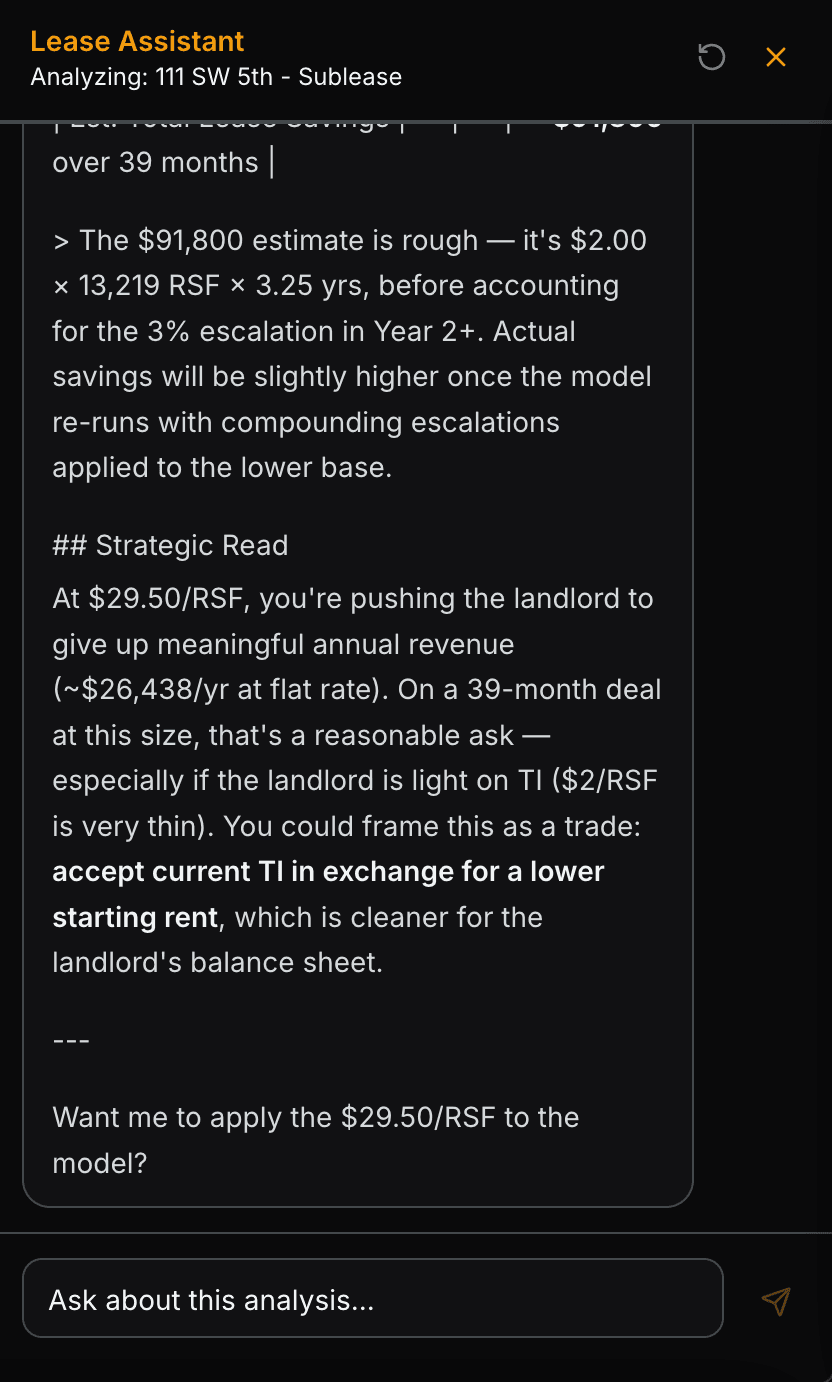
- Reads and updates any field, including month-by-month cash flows, always with your approval before every change.
- Compares current terms to market conditions and flags where you have leverage
- Recommends the strongest deal across a comparison set with supporting rationale
- Answers plain-English questions about any lease term or clause
- Adapts to individual or comparative analyses, always references the right data.
- Summarizes the full deal in client-ready language.
Pro Features
Unlock your edge.
Everything in Starter, plus white-label exports, client dashboards, and unlimited uploads.
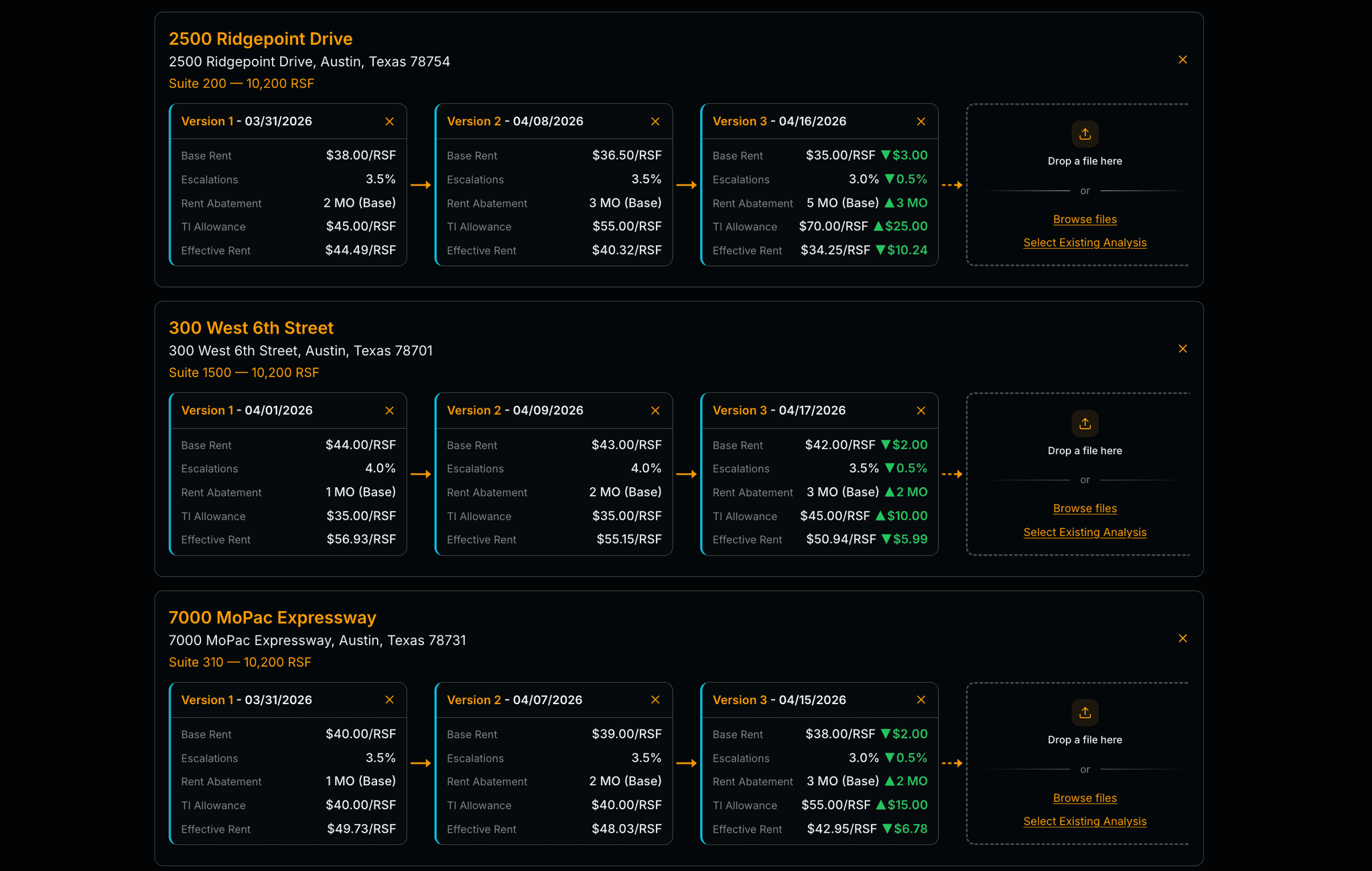
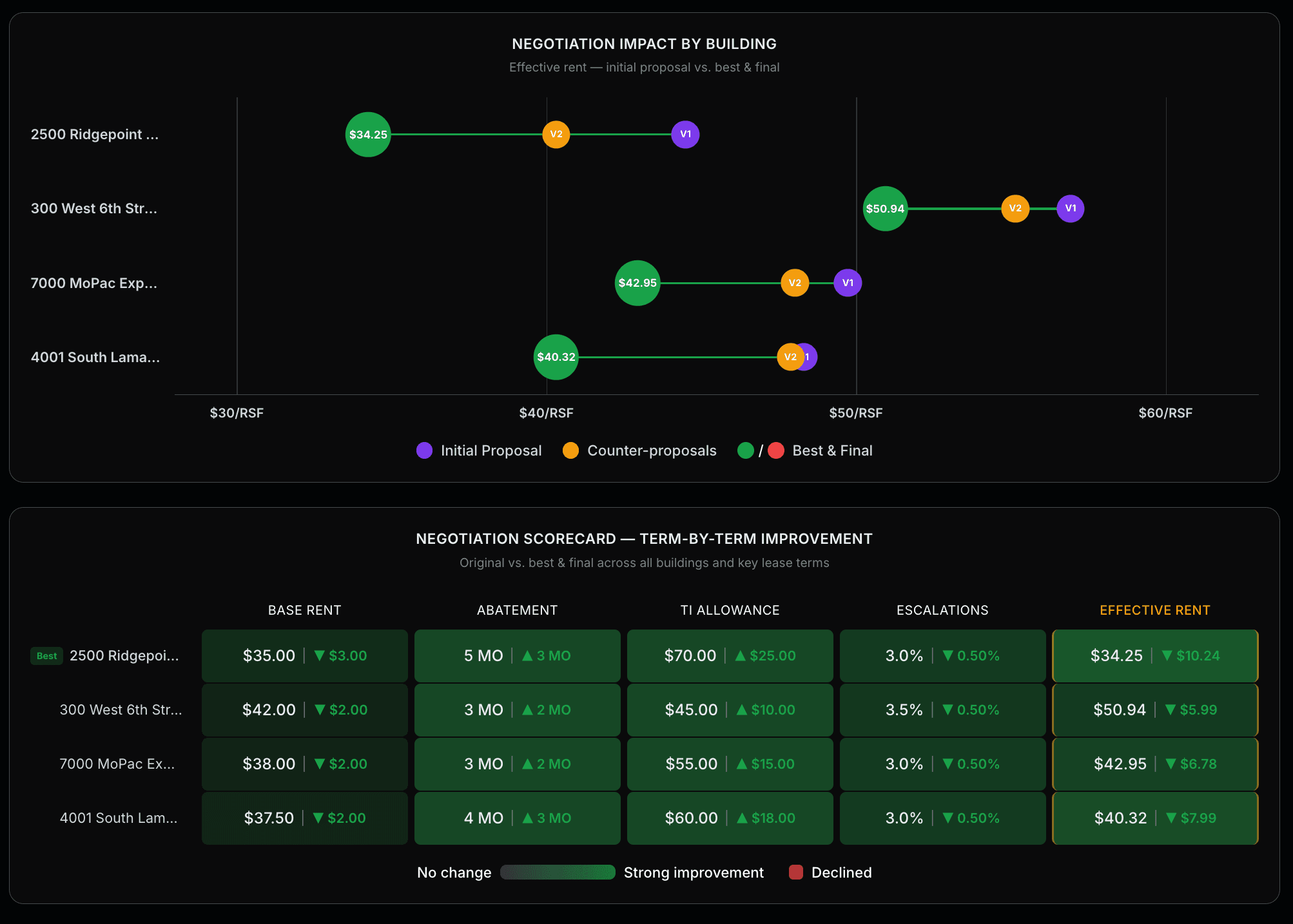
NEW Deal Rooms Pro
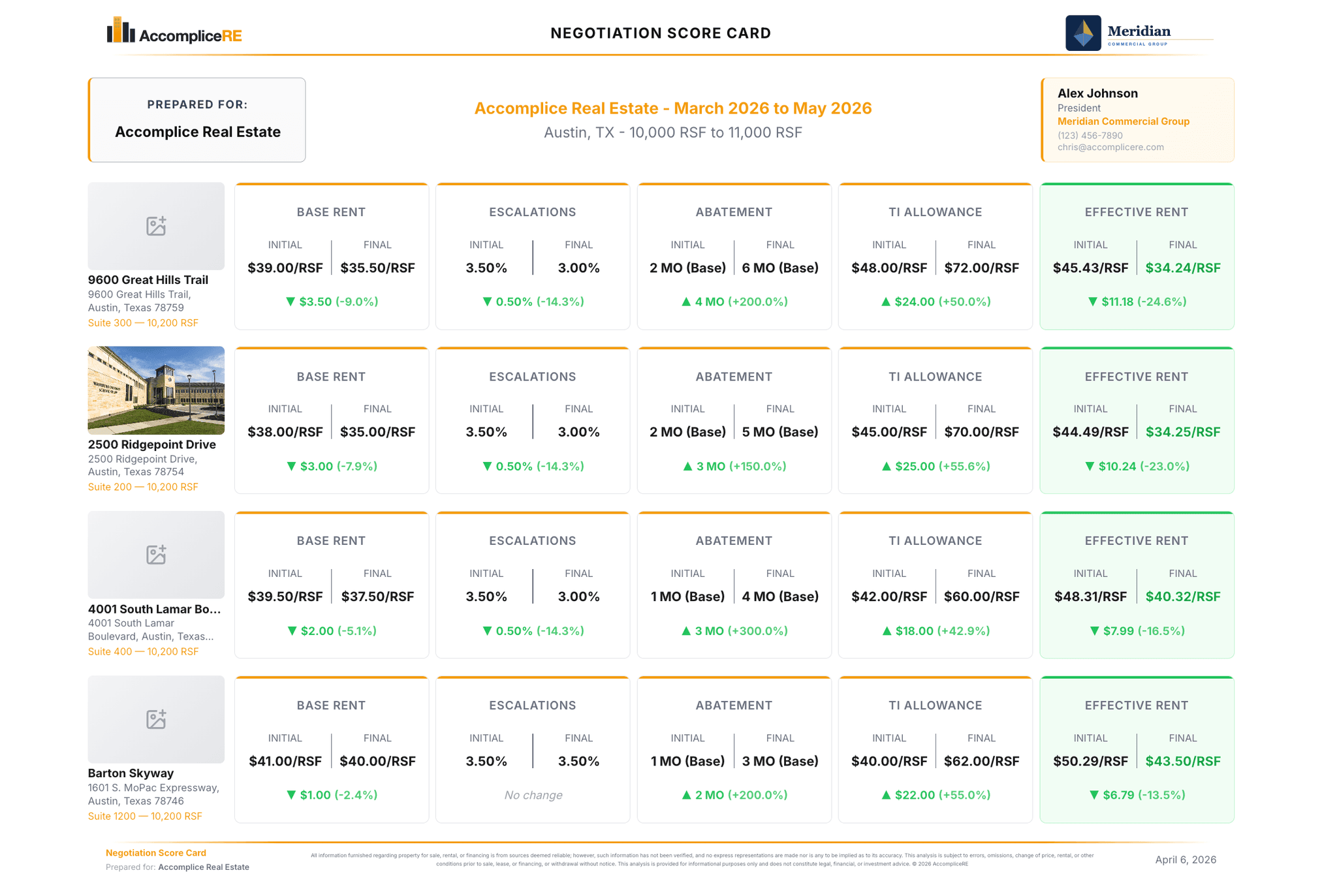
Track negotiation metrics building-by-building at a glance. Score each offer against your client's priorities then produce clean export a PDF that includes score cards and analytics.
Client Dashboard Pro
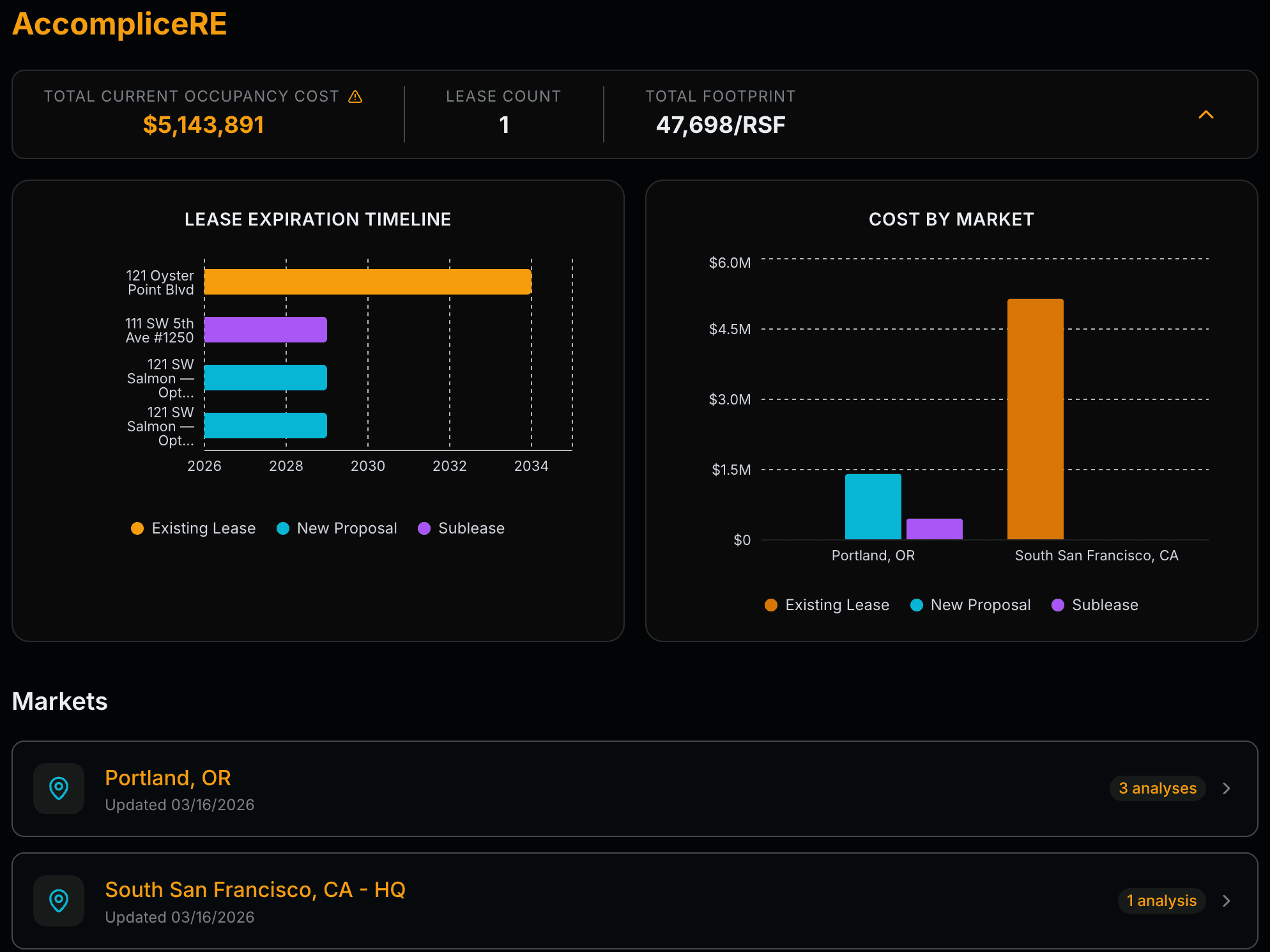
Organize all analyses by client. Automatically tracks obligations across every market, lease expirations, cost by city, and total footprint at a glance.
Custom Analysis Pro
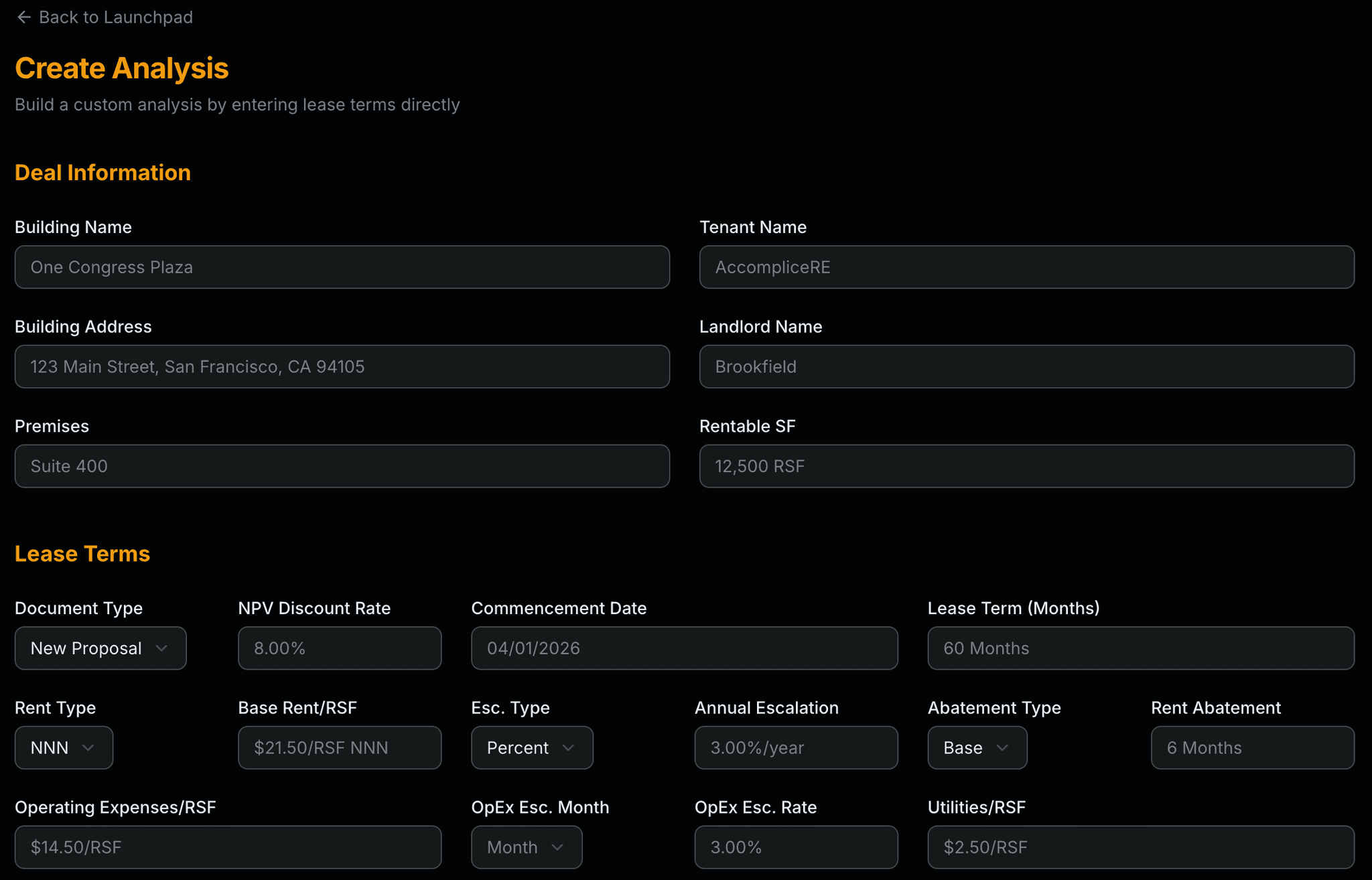
Build a full financial model from scratch, no document required. Model hypothetical deals, test negotiation scenarios, or set benchmarks before a proposal even exists.
Branded PDF Outputs Pro
Generate reports in your firm's, landlord's or tenant's color palette. Remove the AccompliceRE watermark with a single toggle, every page, every chart, fully branded.